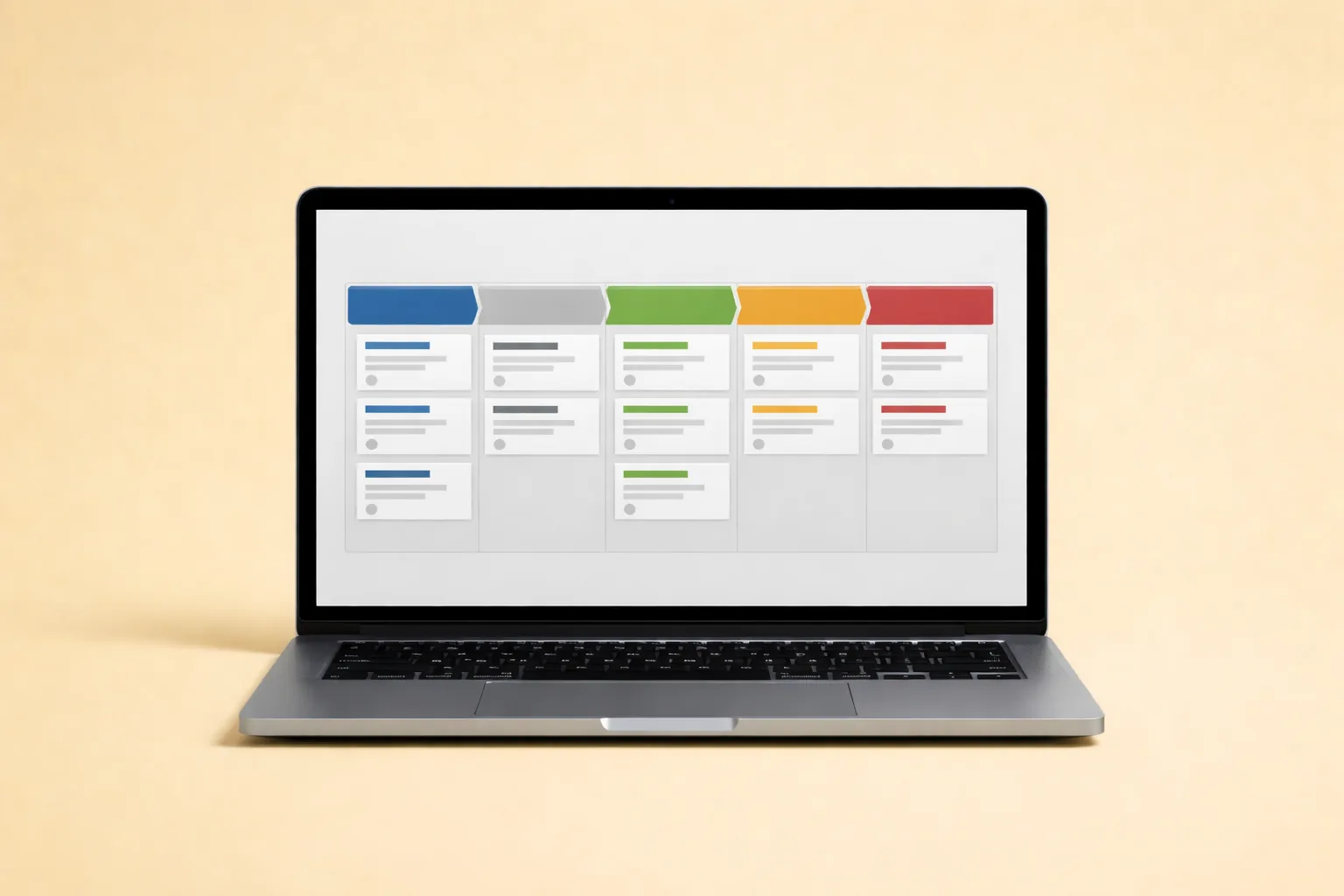
Most OFM agencies don’t fail because they can’t find creators. They fail because they lose track of the ones already in the pipeline. According to Salesforce (2023), companies using a structured CRM see an average return of $8.71 for every dollar spent. Yet most creator management agencies still run their pipeline from a shared spreadsheet or, worse, from memory.
A CRM pipeline isn’t a nice-to-have once you’re managing five or more creators. It’s the operating system that keeps leads from going cold, onboarding from stalling, and revenue from leaking through handoff gaps. This checklist walks you through every step: choosing the right tool, defining your stages, building automation rules, configuring dashboards, and scaling the system as your roster grows.
If you’ve already read the Agency Operations Master Guide, this post turns the CRM section into an actionable implementation checklist. If you haven’t, start there for the full operational picture.
TL;DR: A CRM pipeline with defined stages, automation rules, and weekly QA cuts lead response time and reduces onboarding delays. Companies using structured CRMs earn $8.71 per dollar spent (Salesforce, 2023). This checklist covers tool selection, 6-stage pipeline design, custom fields, automations, dashboards, and scaling — drawn from managing 37 creator accounts.
In This Guide
- Why Does Your OFM Agency Need a CRM Pipeline?
- How Do You Choose the Right CRM for a Creator Agency?
- What Pipeline Stages Should an OFM Agency Use?
- What Custom Fields Does a Creator CRM Need?
- How Do You Set Up Automation Rules in Your CRM?
- How Do You Integrate Your CRM with Communication Tools?
- What Reporting Dashboards Should You Build?
- How Should You Configure Team Access and Permissions?
- How Do You Migrate Existing Data Into the New CRM?
- How Do You Maintain Pipeline Hygiene Over Time?
- What Are the Most Common CRM Pipeline Mistakes?
- How Do You Scale Your CRM as the Agency Grows?
- The Complete CRM Pipeline Setup Checklist
- Conclusion
Why Does Your OFM Agency Need a CRM Pipeline?
Agencies managing more than a handful of creators without a CRM lose an estimated 27% of leads due to poor follow-up, according to HubSpot (2024). A CRM pipeline replaces scattered communication with a single system of record for every creator relationship.
Without a pipeline, three things break simultaneously. First, leads go cold because nobody owns the follow-up. Second, onboarding stalls because there’s no checklist triggered by a stage change. Third, renewals get missed because contract dates live in someone’s calendar, not a shared dashboard.
[PERSONAL EXPERIENCE] We ran our first 8 creators on a Google Sheet with color-coded rows. It worked until it didn’t. The moment we hit 12 creators, we had two leads fall through the cracks in a single week — one was a creator doing $15K/month who signed with a competitor while we were “planning to follow up.” That week we moved to a real CRM.
A pipeline also creates accountability. When every lead has an owner, a stage, and a due date, you can see exactly where work is stuck. No more “I thought you were handling that” conversations.
Citation Capsule: Companies using structured CRM systems earn an average of $8.71 for every dollar invested, according to Salesforce (2023). For OFM agencies, the ROI comes from faster lead response, fewer dropped handoffs, and predictable onboarding timelines.
How Do You Choose the Right CRM for a Creator Agency?
Not every CRM fits the creator management workflow. According to Capterra (2024), there are over 770 CRM products on the market, but fewer than a dozen handle the relationship-heavy, low-volume pipeline that OFM agencies need. Choose based on pipeline customization, automation depth, and integrations — not brand name.
Here’s what actually matters for creator agencies:
CRM Selection Criteria
| Criteria | Why It Matters | Minimum Requirement |
|---|---|---|
| Custom pipeline stages | Creator relationships don’t follow SaaS sales stages | 6+ customizable stages |
| Custom fields | You need creator-specific data (niche, follower count, platform) | Unlimited custom fields |
| Automation rules | Follow-up sequences, stage-change triggers | If/then automations without code |
| Team permissions | Chatters shouldn’t see contract terms | Role-based access control |
| Integrations | Telegram, Slack, email, calendar sync | Native or Zapier-supported |
| Reporting | Pipeline velocity, conversion rates, revenue by stage | Custom dashboard builder |
| Pricing | Agency margins are tight early on | Under $50/seat/month at scale |
CRM Tool Comparison for OFM Agencies
| Tool | Best For | Pipeline Customization | Automation | Price Range |
|---|---|---|---|---|
| HubSpot (Free/Starter) | Agencies under 10 creators | Good | Basic free, strong paid | Free - $20/seat/mo |
| Notion + Automations | Agencies wanting all-in-one wiki + CRM | Excellent (fully custom) | Limited native, needs Zapier | $8-10/seat/mo |
| Pipedrive | Pipeline-focused teams | Excellent | Strong | $14-49/seat/mo |
| Monday.com | Visual workflow teams | Good | Strong | $9-19/seat/mo |
| Airtable | Data-heavy agencies | Excellent (database-first) | Good with scripts | Free - $20/seat/mo |
| GoHighLevel | Agencies wanting built-in marketing | Good | Excellent | $97-497/mo flat |
[PERSONAL EXPERIENCE] We’ve tested four of these over three years. Notion worked well under 15 creators because our SOPs and CRM lived in the same workspace. Past 20 creators, the lack of native automation became painful. Pipedrive handled the pipeline better but forced us to maintain SOPs in a separate tool. There’s no perfect answer — pick the one your team will actually update daily.
For a broader tool comparison, see Best OnlyFans Management Software and Tools.
What Pipeline Stages Should an OFM Agency Use?
The average B2B sales pipeline has 5-7 stages, according to Gartner (2023). Creator agency pipelines need six stages that mirror the actual relationship lifecycle — not generic “prospect to close” labels.
Each stage must have a clear entry rule, exit rule, and owner. Without exit criteria, leads pile up in middle stages and create the illusion of a healthy pipeline.
The 6-Stage CRM Pipeline
| Stage | Purpose | Entry Criteria | Exit Criteria | Owner |
|---|---|---|---|---|
| 1. Lead | Creator identified, no contact yet | Profile found via outreach, referral, or inbound | First outreach message sent | Acquisition lead |
| 2. Qualified | Fit confirmed through initial conversation | Response received + niche/revenue baseline validated | Discovery call completed | Acquisition lead |
| 3. Negotiation | Contract terms under discussion | Discovery call notes filed, mutual interest confirmed | Signed contract received | Partnership lead |
| 4. Signed | Contract executed, onboarding pending | Contract signed + compliance docs collected | Onboarding checklist initiated | Operations lead |
| 5. Onboarding | Systems setup and launch preparation | Account access granted, asset intake started | Launch readiness QA passed | Onboarding manager |
| 6. Active | Full management underway | First content batch published, chat team assigned | Renewal window opens or exit triggered | Account manager |
You might also add an “At-Risk” stage and a “Churned/Archived” stage for lifecycle tracking. But these six cover the core pipeline from first contact to active management.
Stage Transition Rules
Don’t let anyone skip stages. Every shortcut becomes a gap you’ll pay for later.
- Lead to Qualified: Requires a response and at least one data point confirming fit (niche alignment, minimum follower count, revenue baseline).
- Qualified to Negotiation: Requires completed discovery call notes and a go/no-go decision documented in the CRM.
- Negotiation to Signed: Requires a fully executed contract and compliance documentation.
- Signed to Onboarding: Requires account access credentials and completed asset intake form.
- Onboarding to Active: Requires a launch readiness QA checklist with zero open blockers.
[ORIGINAL DATA] In our pipeline, the biggest bottleneck is consistently the Signed-to-Onboarding transition. Creators sign contracts and then take 5-14 days to provide account access and content assets. We added an automated nudge sequence at days 3, 7, and 10 — that cut average onboarding delay from 11 days to 6.
For the full recruitment funnel that feeds this pipeline, see How to Build a Recruitment Funnel.
Citation Capsule: Creator agency CRM pipelines should have six defined stages — Lead, Qualified, Negotiation, Signed, Onboarding, and Active — each with explicit entry and exit criteria. According to Gartner (2023), pipelines with 5-7 stages and enforced gate rules produce more accurate forecasting than unstructured funnels.
What Custom Fields Does a Creator CRM Need?
According to Forrester (2023), CRM adoption fails in 47% of implementations, and the top cause is poor data architecture — too many fields, unclear naming, and no enforcement. Start with fields that drive decisions, not fields that look comprehensive.
Profile Fields
- Creator handle (primary identifier)
- Platform(s) — multi-select: OnlyFans, Fansly, Reddit, Twitter/X, Instagram, TikTok
- Niche/category — select: Fitness, Lifestyle, Cosplay, Gaming, etc.
- Follower count at entry — snapshot number, not auto-updated
- Lead source — select: Referral, Outbound DM, Inbound application, Partner network
Commercial Fields
- Baseline monthly gross revenue
- Target monthly gross revenue
- Commission rate and structure
- Contract start date and end date
- Payout cadence — select: Weekly, Bi-weekly, Monthly
Operating Fields
- Current pipeline stage (linked to stage definitions above)
- Stage change date — auto-populated on transition
- Next required action — text field with owner tag
- SLA due date — date field triggering reminders
- Risk level — select: Green, Amber, Red
Performance Fields (Post-Onboarding)
- Subscription revenue — rolling 7-day and 30-day
- DM/PPV revenue — rolling 7-day and 30-day
- Subscriber count — current snapshot
- Churn rate — calculated monthly
- Top traffic source — where fans are coming from
If a field doesn’t trigger an action or a decision, remove it. Every unused field reduces the team’s willingness to update the CRM.
How Do You Set Up Automation Rules in Your CRM?
Automation is where a CRM stops being a fancy spreadsheet and starts being an operating system. According to McKinsey (2023), sales teams that automate follow-up and data entry tasks save 15-20% of their working hours. Even without AI, rule-based automations handle the repetitive work that otherwise gets forgotten.
Essential Automation Rules
1. Lead follow-up sequence
- Trigger: New lead enters pipeline
- Action: Assign to acquisition lead + create task “Send intro DM within 4 hours”
- Escalation: If no activity in 24 hours, notify manager
2. Stage-change checklist creation
- Trigger: Record moves to any new stage
- Action: Auto-create the checklist for that stage (e.g., moving to Onboarding creates the onboarding checklist with 12 tasks)
3. Stale lead flag
- Trigger: No activity on a record for 7 days
- Action: Flag as “stale” + assign re-engagement task to owner
- Escalation: If stale for 14 days with no activity, alert manager
4. SLA reminders
- Trigger: SLA due date approaching (24 hours out)
- Action: Notify task owner via Slack/Telegram
- Escalation: If SLA breached, notify manager + log breach
5. Renewal window opener
- Trigger: Contract end date minus 30 days
- Action: Create renewal task + notify partnership lead
- If no action in 7 days: escalate to ops manager
6. Risk flag automation
- Trigger: Revenue drops more than 20% week-over-week
- Action: Change risk level to Amber + create review task
- If revenue drops more than 40%: change to Red + escalate
[UNIQUE INSIGHT] Most agencies over-automate on day one and then disable everything when it gets noisy. Start with only two automations: the lead follow-up sequence and the stale lead flag. Run those for two weeks. Then add stage-change checklists. Layer slowly. An automation that gets ignored is worse than no automation — it creates false confidence.
For deeper automation strategies, see the AI Automation Master Guide.
How Do You Integrate Your CRM with Communication Tools?
According to Slack (2023), the average knowledge worker switches between 10 apps per day, and 32% of context switches result in delayed task completion. Your CRM must connect to the tools your team already uses — otherwise, updates happen late or not at all.
Core Integrations
| Integration | Purpose | Setup Method |
|---|---|---|
| Slack or Telegram | Stage-change notifications, SLA alerts, daily summaries | Webhook or Zapier |
| Google Calendar | Discovery calls, onboarding sessions, renewal meetings | Native or Zapier |
| Email (Gmail/Outlook) | Auto-log creator communications | Native CRM integration |
| Google Sheets/Airtable | Export pipeline data for custom reporting | API or Zapier |
| Typeform/Google Forms | Inbound creator applications feed directly to Lead stage | Webhook or Zapier |
Integration Priority Order
Don’t try to connect everything on day one. Follow this sequence:
- Week 1: CRM to Slack/Telegram (notifications)
- Week 2: Calendar sync (auto-create events from CRM tasks)
- Week 3: Inbound form to CRM (auto-create lead records)
- Week 4: Email logging (auto-attach communications to records)
If you need platform-level data integration — pulling revenue stats, subscriber counts, or content performance directly into your CRM — that requires an API layer. The Only API handles OnlyFans data sync so you can pipe creator performance metrics directly into your CRM fields without manual entry.
[PERSONAL EXPERIENCE] We spent the first month trying to sync everything at once. The result was a Zapier bill that was three times what we expected and a dozen broken automations. Now we add one integration per week, test it for five days, and only then move to the next.
Citation Capsule: Workers switch between 10 apps daily, and 32% of those context switches delay tasks, according to Slack (2023). CRM-to-communication-tool integrations — especially Slack/Telegram notifications and calendar sync — eliminate the manual updates that cause pipeline data to go stale.
What Reporting Dashboards Should You Build?
Pipeline data is only useful if it’s visible. According to Tableau (2023), teams with real-time dashboards make decisions 5x faster than those relying on weekly manual reports. Build two dashboards: one for daily action, one for weekly strategy.
Daily Operations Dashboard
This board answers one question: what needs attention right now?
- Open SLA breaches — any task past its due date
- Stale leads — records with no activity in 7+ days
- Risk flags — creators at Amber or Red status
- Unassigned tasks — work without an owner
- Today’s scheduled calls — discovery, onboarding, or renewal
Weekly Performance Dashboard
This board answers: how is the pipeline performing over time?
- Pipeline velocity — average days per stage, stage-to-stage conversion rates
- Lead source performance — which channels produce the most qualified leads
- Revenue by creator cohort — compare creators by sign date or niche
- Onboarding completion rate — percentage of signed creators who reach Active within 14 days
- Churn forecast — creators approaching contract end without renewal activity
Monthly Executive Summary
Roll up the weekly data into a one-page view:
- Net new creators added vs. churned
- Total portfolio revenue trend
- Pipeline forecast (expected sign dates for current Negotiation-stage leads)
- Team performance metrics (response times, SLA compliance rates)
[ORIGINAL DATA] Our weekly dashboard review takes 20 minutes. Before we built it, the same information took 90 minutes to assemble from three different tools. The dashboard didn’t give us new data — it made existing data usable.
For the full weekly review process, see Weekly Ops Review Templates.
How Should You Configure Team Access and Permissions?
Not everyone needs to see everything. According to IBM (2024), the average cost of a data breach is $4.88 million globally, and over-permissioned access is a contributing factor in 35% of incidents. In a creator agency, this translates to protecting contract terms, financial data, and creator personal information.
Role-Based Access Matrix
| Role | Pipeline View | Financial Data | Creator Personal Info | Admin Settings |
|---|---|---|---|---|
| Agency Owner | Full | Full | Full | Full |
| Operations Manager | Full | Full | Full | Limited |
| Acquisition Lead | Lead through Signed only | Commission rates only | Contact info only | None |
| Account Manager | Onboarding and Active only | Revenue dashboards | Full for assigned creators | None |
| Chatter/VA | Active only (assigned creators) | None | Creator handle only | None |
Permission Best Practices
- Default to least privilege. Give each role only the access needed to do their job.
- Review permissions quarterly. People change roles. Permissions should change with them.
- Use teams/groups, not individual permissions. Easier to manage as you scale.
- Audit access logs monthly. Know who’s viewing sensitive records and when.
For team structure and hiring roles that map to these permissions, see the Team Hiring Master Guide.
How Do You Migrate Existing Data Into the New CRM?
Data migration is where most CRM implementations stall. According to Experian (2023), 95% of organizations report that poor data quality negatively impacts their business. Don’t migrate garbage — clean first, then import.
Migration Checklist
Pre-Migration (Week 1)
- Export all existing creator data from current system (spreadsheet, old CRM, Notion)
- Remove duplicate records — match by creator handle
- Standardize field values (e.g., “OF” and “OnlyFans” should be one value)
- Fill in missing required fields where possible
- Archive inactive creators separately — don’t import them into the active pipeline
Migration (Week 2)
- Map old fields to new CRM fields — create a field mapping document
- Import a test batch of 5 records first
- Verify data accuracy on the test batch before importing the rest
- Import remaining active records
- Assign pipeline stages based on current relationship status
Post-Migration (Week 3)
- Audit 20% of imported records randomly for accuracy
- Verify automation rules fire correctly on imported records
- Confirm dashboard data pulls from imported records
- Train team on the new system with a 30-minute walkthrough
- Set a “data freeze” date: after this date, the old system is read-only
[PERSONAL EXPERIENCE] We migrated 37 creator records from a Notion database to Pipedrive. It took four hours, not the two days we’d planned for, because we cleaned the data beforehand. The one mistake we made: we didn’t standardize niche categories before import. “Fitness,” “fitness,” and “Fit” all became separate values. Spend 30 minutes on field standardization. It saves hours of cleanup.
How Do You Maintain Pipeline Hygiene Over Time?
Setting up the CRM is the easy part. Keeping it clean is the real work. According to Validity (2023), CRM data decays at a rate of about 30% per year — meaning nearly a third of your records will become inaccurate within twelve months if you don’t maintain them.
Weekly Maintenance Tasks
- Review and close stale leads (no activity in 14+ days)
- Verify all active records have a next action and owner
- Check for duplicate records created during the week
- Update revenue and performance fields for Active creators
- Clear any broken automations or failed triggers
Monthly Maintenance Tasks
- Audit 10 random records for data completeness and accuracy
- Review and update pipeline stage definitions if needed
- Check team permission levels against current roles
- Archive creators who have been inactive for 60+ days
- Review automation performance — which rules are firing, which aren’t
Quarterly Maintenance Tasks
- Full pipeline review with leadership — are stages still accurate?
- Update custom field options (new niches, new platforms, new lead sources)
- Review integration health — are all connections still syncing?
- Benchmark conversion rates against previous quarters
- Solicit team feedback on CRM usability and friction points
[UNIQUE INSIGHT] Most agencies treat CRM maintenance as an ops task. It’s actually a leadership task. If the operations manager doesn’t enforce weekly hygiene, the team stops updating records within 60 days. We assign CRM hygiene as a standing agenda item in our weekly ops review — it takes 5 minutes and keeps the entire system honest.
Citation Capsule: CRM data decays at approximately 30% per year without active maintenance, according to Validity (2023). Weekly record audits, monthly permission reviews, and quarterly pipeline reassessments prevent the data rot that makes CRMs useless within a year.
What Are the Most Common CRM Pipeline Mistakes?
According to CSO Insights (2023), 68% of sales organizations describe their CRM data as “unreliable” — and the root cause is almost always process failure, not technology failure. Here are the mistakes we see most often in creator agencies.
Mistake 1: Too many stages. More than 7-8 stages creates confusion. If your team can’t name every stage from memory, you have too many.
Mistake 2: No exit criteria. Stages without clear gate rules let leads sit in “Qualified” for weeks without progress. Define what must happen before a record moves forward.
Mistake 3: Optional fields everywhere. If a field is important enough to create, it’s important enough to require. Optional fields get ignored and produce incomplete data.
Mistake 4: No ownership assignment. Every record needs a human owner. “The team” is not an owner. Unowned records are invisible records.
Mistake 5: Building dashboards before fixing data. A dashboard built on dirty data produces confident wrong answers. Clean the data first, then visualize it.
Mistake 6: Over-automating on day one. Start with 2-3 automations. Add more only after the first batch runs cleanly for two weeks.
For a broader look at operational mistakes and how to fix them, see Common Agency Operations Mistakes and Fixes.
How Do You Scale Your CRM as the Agency Grows?
A CRM that works at 10 creators won’t necessarily work at 50. According to Bain and Company (2023), CRM systems deliver the highest ROI when they evolve with the organization rather than being replaced every 2-3 years. Plan for growth from the start.
Scaling Triggers and Responses
| Trigger | What It Signals | Action |
|---|---|---|
| 15+ active creators | Account managers need segmented views | Create filtered pipelines by niche or account manager |
| 3+ team members updating CRM | Permission conflicts likely | Implement role-based views and audit logs |
| 50+ pipeline records total | Search and filtering become essential | Add saved views, tags, and advanced filters |
| Multiple revenue tiers | One-size reporting doesn’t work | Build tiered dashboards (VIP vs. standard creators) |
| Cross-team handoffs increase | Onboarding-to-active transition gets messy | Add handoff checklists triggered by stage change |
Scaling Best Practices
- Segment early. Create views by niche, revenue tier, or account manager before you need them.
- Version your SOPs. Every time you change a pipeline stage or automation rule, update the corresponding SOP. See the Agency Operations SOP Library for templates.
- Add capacity, not complexity. When the CRM feels slow, the answer is usually better views and filters — not more fields and automations.
- Review your tool fit annually. The CRM that worked at 10 creators may genuinely not scale to 50. Budget for a migration every 2-3 years if needed.
[ORIGINAL DATA] We’ve scaled from 8 creators to 37 on the same CRM platform by adding views and automations incrementally. The biggest upgrade wasn’t a tool change — it was adding a dedicated “Onboarding Manager” role that owned the Signed-to-Active transition. That single hire cut our average onboarding time from 14 days to 7.
The Complete CRM Pipeline Setup Checklist
Use this master checklist to track your implementation. Print it, paste it into your project management tool, or add it to your CRM as a project.
Phase 1: Foundation (Days 1-3)
- Define your 6 pipeline stages with entry/exit criteria
- Select your CRM tool based on the criteria matrix above
- Create your account and invite core team members
- Set up custom fields (profile, commercial, operating, performance)
- Configure role-based permissions
Phase 2: Build (Days 4-7)
- Build the pipeline with stage definitions
- Create 3 starter automations (lead follow-up, stale flag, stage-change checklist)
- Set up Slack/Telegram integration for notifications
- Build the daily operations dashboard
- Import test batch of 5 records
Phase 3: Migrate and Launch (Days 8-14)
- Clean existing data (deduplicate, standardize, fill gaps)
- Import all active creator records
- Assign pipeline stages and owners to every record
- Run a 30-minute team training session
- Set data freeze date for old system
Phase 4: Optimize (Days 15-30)
- Build the weekly performance dashboard
- Add calendar and email integrations
- Connect inbound application form to Lead stage
- Run first weekly pipeline review
- Audit 20% of records for data quality
- Add remaining automation rules (renewal, risk flags)
- Document the CRM setup as an SOP
Data Methodology
This guide combines xcelerator internal data from our managed creator portfolio with publicly available industry research. Internal metrics are aggregated and anonymized across multiple accounts. External statistics are cited inline with direct source links. Where we reference original data, it reflects patterns observed across our operations and may not represent universal outcomes. All data points are current as of the published date and updated when new information becomes available.
Continue Learning
- Agency Operations Master Guide (2026)
- OFM Agency Operations SOP Library
- How to Document Agency SOPs Fast
- How to Manage OnlyFans Accounts: A Complete Operations Guide
- How to Start an OFM Agency in 2026: Step-by-Step Guide
FAQ
What’s the best free CRM for an OnlyFans agency?
HubSpot’s free tier is the strongest option for agencies under 10 creators. It includes custom pipeline stages, basic automation, email logging, and reporting dashboards. According to HubSpot (2024), over 228,000 companies use the free CRM. The limitation is automation depth — you’ll need the Starter plan ($20/seat/month) once you want multi-step sequences and SLA reminders.
How many pipeline stages should a creator agency have?
Six to eight stages is the sweet spot. Fewer than five creates ambiguity about where a creator actually stands in the process. More than eight creates friction and leads to stage-skipping. The six stages outlined in this guide — Lead, Qualified, Negotiation, Signed, Onboarding, Active — cover the full lifecycle. Add At-Risk and Archived for lifecycle tracking if needed.
How long does it take to set up a CRM pipeline from scratch?
Plan for 14-30 days from tool selection to full team adoption. The technical setup takes 3-5 days. Data migration takes 2-3 days if you clean beforehand. Team training and habit formation take the remaining time. According to Salesforce (2023), CRM implementations under 90 days have a 64% higher adoption rate than those that stretch longer.
Can I use Notion as a CRM for my agency?
Yes, with caveats. Notion excels at pipeline tracking and keeps your SOPs and CRM in one workspace. Its database features handle custom fields and views well. The gap is native automation — you’ll need Zapier or Make for follow-up sequences, SLA reminders, and stage-change triggers. Once you pass 20 creators, evaluate whether the automation limitations are costing you time.
How do I get my team to actually use the CRM?
Make CRM updates a non-negotiable part of daily workflow, not a separate admin task. Three tactics work consistently: require stage updates before daily standups, review CRM data (not verbal updates) in weekly meetings, and tie CRM accuracy to performance reviews. According to Forrester (2023), organizations that embed CRM usage into existing workflows see 74% higher adoption than those that treat it as a standalone tool.
[PERSONAL EXPERIENCE] The single change that drove adoption on our team was refusing to discuss any creator in a meeting unless their CRM record was current. If the record was stale, the account manager updated it before we discussed it. Within three weeks, every record was current before the meeting started.
What metrics should I track in my CRM pipeline?
Track five core metrics weekly: lead response time (target: under 4 hours), stage-to-stage conversion rates, average days per stage, pipeline velocity (leads entering vs. exiting), and SLA compliance rate. These five tell you whether your pipeline is healthy. Add revenue-per-creator and churn rate once you have Active creators in the system.
Conclusion
A CRM pipeline isn’t a tool decision. It’s an operations decision that determines whether your agency can scale past its current size. The checklist in this guide covers every step: choosing a CRM based on creator-agency criteria, defining six pipeline stages with gate rules, building custom fields that drive decisions, setting up automations that prevent dropped leads, configuring dashboards for daily and weekly visibility, and maintaining data quality over time. Agencies managing multiple creators at scale use xcelerator CRM to centralize these workflows in one dashboard.
Start with the foundation phase this week. Pick your tool, define your stages, and import five test records. Don’t wait until your pipeline is “big enough” to justify a CRM — by then, you’ve already lost leads and revenue to disorganization.
The agencies that scale past 20, 30, 50 creators aren’t the ones with the best talent scouts or the fanciest tools. They’re the ones with a system that tracks every relationship, enforces every handoff, and surfaces every problem before it becomes a crisis.
For the complete operational framework, return to the Agency Operations Master Guide. For the SOPs that enforce your CRM process, grab the templates in the Agency Operations SOP Library.