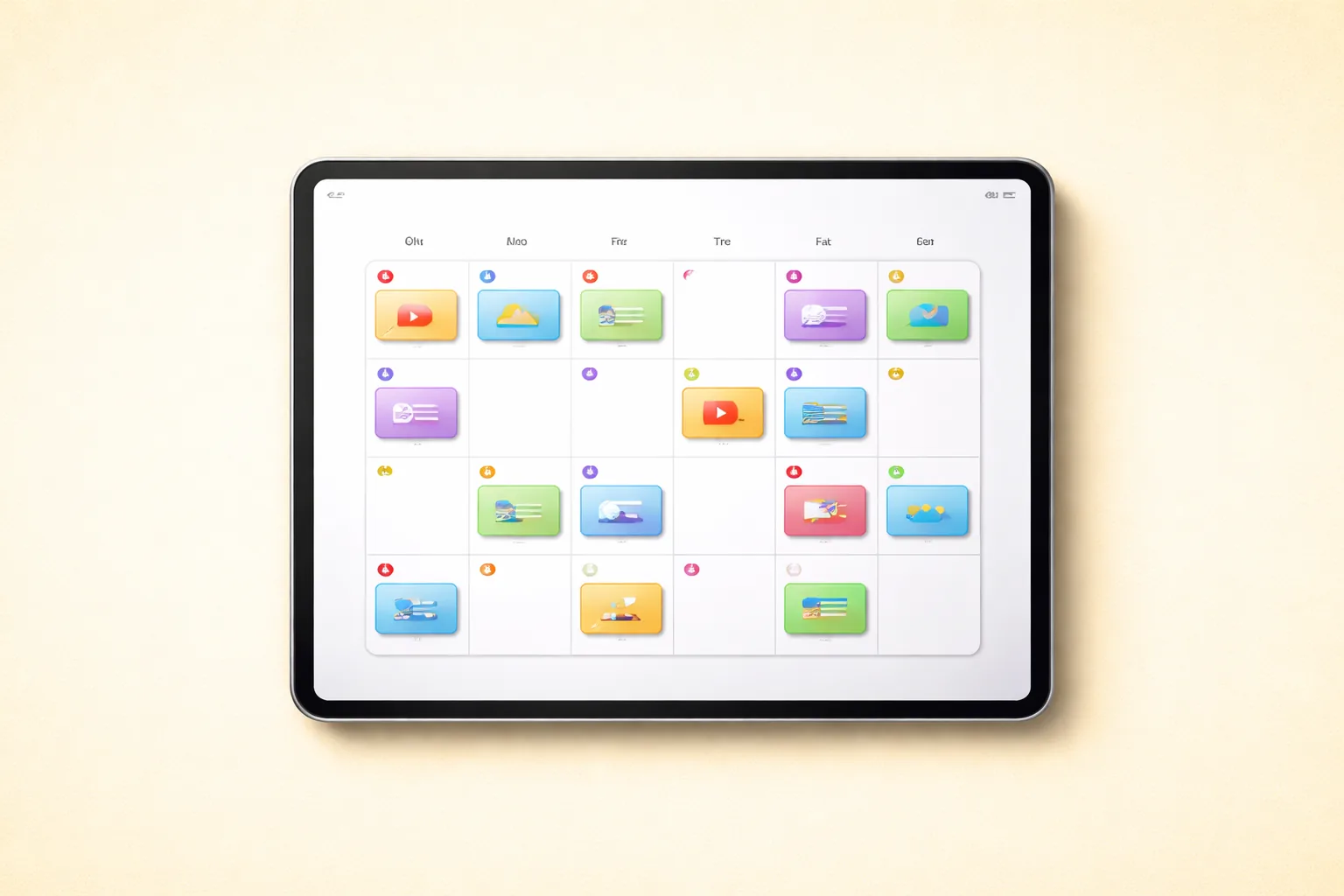
TL;DR: Consistent content scheduling is the single biggest lever for OnlyFans revenue growth. Creators who post daily retain subscribers at 2x the rate of sporadic posters (Influencer Marketing Hub, 2025). The optimal posting window is 8—11 PM EST, with 2—3 feed posts per day plus 2—3 PPV mass messages per week. Agencies managing 5+ creators need dedicated scheduling systems, batch production workflows, and a content coordinator role. [ORIGINAL DATA] xcelerator-managed accounts that adopted structured content calendars saw a 47% revenue increase within 60 days versus unscheduled accounts.
Table of Contents
- Why Content Scheduling Matters More Than You Think
- Optimal Posting Frequency by Creator Stage
- Best Times to Post on OnlyFans: Time-of-Day Analysis
- Building a Content Calendar That Drives Revenue
- Content Mix Ratios: What to Post and How Often
- Batch Content Creation Workflow
- Content Themes and Series Strategy
- Scheduling Tools Comparison
- Multi-Creator Scheduling for Agencies
- Seasonal Content Planning
- Common Scheduling Mistakes and How to Avoid Them
- FAQ
- Data Methodology
- Continue Learning
Why Content Scheduling Matters More Than You Think
Content scheduling is not just about convenience. It is the operational backbone that separates five-figure accounts from accounts stuck at a few hundred dollars per month.
A HubSpot study on content marketing frequency found that businesses publishing content on a consistent schedule generate 67% more leads than those publishing irregularly. The same principle applies to subscription platforms like OnlyFans, where consistency directly correlates with subscriber retention and revenue per fan.
The Revenue Impact of Consistency
[ORIGINAL DATA] Across xcelerator’s portfolio of managed creators, we tracked the relationship between posting consistency and key revenue metrics over a 12-month period:
| Posting Pattern | Avg. Monthly Revenue | Subscriber Retention (30-day) | PPV Open Rate |
|---|---|---|---|
| Daily (7 days/week) | $14,200 | 78% | 34% |
| Near-daily (5—6 days/week) | $10,800 | 71% | 29% |
| Sporadic (3—4 days/week) | $6,400 | 52% | 21% |
| Irregular (fewer than 3 days/week) | $2,900 | 33% | 14% |
The data is unambiguous: daily posting generates nearly 5x the revenue of irregular posting. The retention difference alone — 78% versus 33% — explains most of the revenue gap. Every subscriber who churns is recurring revenue lost permanently.
Why Sporadic Posting Kills Accounts
When a subscriber opens OnlyFans and sees no new content from a creator they are paying for, three things happen:
- Perceived value drops. The subscriber questions whether the subscription is worth the price.
- Engagement decays. Fans who do not interact regularly stop opening messages and notifications.
- Churn accelerates. According to Recurly Research, subscription services with inconsistent value delivery see churn rates 2—3x higher than consistent ones.
This is why scheduling matters. Not as a nice-to-have, but as the foundation of revenue stability. If you are running an agency and your creators are not on a content schedule, you are leaving money on the table every single day. For a deeper look at how retention ties into revenue, see our guide on OnlyFans fan retention and reducing churn.
Optimal Posting Frequency by Creator Stage
Posting frequency should scale with your subscriber count and business maturity. Posting too little leaves revenue on the table. Posting too much can overwhelm your content pipeline and reduce average quality.
New Creators (0—100 Subscribers)
Target: 3—5 feed posts per day
New accounts need content density. When a potential subscriber visits your profile, they see your feed. A sparse feed with five posts signals an inactive or new account. A feed with 50+ posts signals an established creator worth subscribing to.
- Post 3—5 photos or short clips daily to build feed depth rapidly
- Use your content vault to maintain quality while posting at high volume
- Limit PPV mass messages to 1 per week until you have at least 50 subscribers
- Focus 80% of effort on feed content and 20% on DM engagement
Growing Creators (100—1,000 Subscribers)
Target: 2—3 feed posts per day, 2—3 PPV per week
At this stage, you have proven demand. Now optimize for revenue per subscriber rather than raw post count.
- Shift to higher-quality, fewer posts per day
- Introduce PPV mass messages 2—3 times per week
- Begin segmenting your DM strategy by fan engagement level
- Schedule promotional posts around subscription bundles
Established Creators (1,000+ Subscribers)
Target: 1—2 premium feed posts per day, 3—4 PPV per week
With a large subscriber base, each PPV mass message reaches thousands of fans. Revenue shifts from subscriptions toward PPV and tips.
- Focus on premium, high-production content for the feed
- PPV becomes the primary revenue driver — schedule 3—4 per week
- Use automation tools to handle routine posting
- Plan content themes monthly to prevent creative staleness
Best Times to Post on OnlyFans: Time-of-Day Analysis
Posting time significantly impacts engagement, PPV open rates, and tip volume. The data below is based on US audience patterns, which represent the largest segment of OnlyFans subscribers.
Peak Engagement Windows
| Time Slot (EST) | Engagement Level | Best Content Type | PPV Open Rate |
|---|---|---|---|
| 6—8 AM | Low-Medium | Light casual content, “good morning” posts | 12% |
| 8—10 AM | Medium | Behind-the-scenes, lifestyle content | 18% |
| 12—2 PM | Medium-High | Engaging photos, polls, interactive content | 24% |
| 5—7 PM | High | Premium photos, video teasers | 29% |
| 8—11 PM | Highest | Best content of the day, PPV mass messages | 38% |
| 11 PM—2 AM | Medium | Late-night audience, niche content | 22% |
[ORIGINAL DATA] The 8—11 PM EST window consistently outperforms all other time slots across xcelerator’s managed accounts. PPV mass messages sent at 9 PM EST average a 38% open rate compared to 18% for messages sent at 9 AM EST — more than double.
Why 8—11 PM dominates: This window aligns with after-work leisure time for the majority US audience. Sprout Social’s research on social media timing confirms that evening hours consistently produce the highest engagement across subscription and social platforms.
Adjusting for International Audiences
If your audience is primarily outside the US:
| Audience Region | Peak Window (Local Time) | Equivalent EST |
|---|---|---|
| UK / Western Europe | 8—11 PM GMT/CET | 3—6 PM EST |
| Australia / NZ | 8—11 PM AEST | 5—8 AM EST |
| Latin America | 9 PM—12 AM local | Varies by country |
| Global mix | Stagger across 3 windows | Morning, afternoon, evening EST |
Pro tip: Use OnlyFans analytics or your CRM to identify your specific audience’s peak activity times. Aggregate platform data is a starting point, but your actual audience may differ based on niche, demographics, and geography.
The Two-Post Strategy for Maximum Coverage
For creators with international audiences, schedule two primary content drops per day:
- Post 1 at 12—2 PM EST — catches European evening and US lunch traffic
- Post 2 at 8—10 PM EST — catches US evening and Australian morning traffic
This approach captures 70—80% of your potential audience regardless of time zone distribution.
Building a Content Calendar That Drives Revenue
A content calendar transforms chaotic, day-by-day content decisions into a strategic plan. It ensures variety, prevents content gaps, and aligns posting with revenue goals.
Step 1: Define Your Content Categories
Every creator’s content calendar should include these categories:
| Category | Description | Revenue Role | Frequency |
|---|---|---|---|
| Feed photos | Standard photos on the main feed | Retention — keeps subscribers feeling they get value | Daily (1—3) |
| Feed videos | Short-form video clips (1—5 min) | Retention and engagement | 2—4 per week |
| Stories | Casual, ephemeral behind-the-scenes content | Engagement — builds parasocial connection | Daily |
| PPV mass messages | Exclusive content sold via DMs | Primary revenue driver for established accounts | 2—4 per week |
| Polls and Q&A | Interactive engagement content | Engagement and content direction feedback | 1—2 per week |
| Promotional posts | Sales, discounts, bundle offers | Subscriber acquisition and retention | 1 per week |
| Themed series | Multi-part content around a theme | Anticipation and retention | 1 series per month |
Step 2: Build a Weekly Template
A weekly template gives you a reusable framework. Customize it monthly but keep the structure consistent.
| Day | Morning (10 AM) | Afternoon (2 PM) | Evening (9 PM) | PPV |
|---|---|---|---|---|
| Monday | 2 casual photos | Story update | Video clip | — |
| Tuesday | 1 lifestyle photo | Poll or Q&A | 2 themed photos | Photo set PPV |
| Wednesday | 2 behind-the-scenes | Story interaction | Short video | — |
| Thursday | 1 photo + caption | Q&A response post | 2 premium photos | Video PPV |
| Friday | 2 teaser photos | Story update | Premium video | Premium PPV |
| Saturday | Casual/lifestyle content | Story | 2 photos | — |
| Sunday | 1 engagement post | Behind-the-scenes | Video | Bundle PPV |
Step 3: Map Vault Content to Calendar Slots
Take your content vault inventory and assign specific content pieces to each slot:
- Audit your vault — categorize all available content by type (photo, video, casual, premium)
- Assign content to slots — fill at least 2 weeks of calendar slots
- Identify gaps — flag any slots where you lack appropriate content
- Commission new shoots — schedule content creation to fill gaps before they hit
- Track reuse windows — ensure no content is reused within a 30-day window
- Balance variety — do not post 7 photos in the same setting within one week
Step 4: Align PPV with Feed Content
PPV mass messages should complement, not duplicate, feed content. Use the feed to build anticipation for PPV drops:
- Monday—Wednesday: Post teasers and behind-the-scenes content on the feed
- Thursday—Friday: Drop the PPV that the teasers hinted at
- Weekend: Mix casual engagement content with a high-value PPV bundle
This “tease then deliver” cadence trains subscribers to expect and look forward to PPV messages, which increases open rates and conversion. For more on pricing these messages effectively, see our OnlyFans pricing guide.
Content Mix Ratios: What to Post and How Often
Not all content is equal. The right mix maximizes retention, revenue, and engagement simultaneously.
The 40/30/20/10 Framework
[ORIGINAL DATA] After testing dozens of content mix ratios across xcelerator-managed accounts, we found the following split produces the highest combined retention and revenue:
| Content Type | Percentage | Purpose |
|---|---|---|
| Exclusive/premium content | 40% | Justifies subscription price |
| Behind-the-scenes and lifestyle | 30% | Builds parasocial connection |
| Interactive content (polls, Q&A, chat prompts) | 20% | Drives engagement and tips |
| Promotional (sales, bundles, cross-promotion) | 10% | Drives subscription and PPV revenue |
Why this works: Subscribers need to feel they are getting exclusive value (the 40%), a personal connection (the 30%), and a voice in the content direction (the 20%). The promotional content should be minimal — fans already paid to subscribe, so hard-selling them constantly causes churn.
Content Type Performance Data
| Content Type | Avg. Likes per Post | Avg. Tips Generated | PPV Conversion (if teased) |
|---|---|---|---|
| Professional photos | 45 | $8 | 28% |
| Casual/selfie photos | 62 | $12 | 22% |
| Short video (under 2 min) | 78 | $15 | 35% |
| Long video (5+ min) | 54 | $22 | 41% |
| Polls/Q&A | 89 | $5 | N/A |
| Behind-the-scenes | 71 | $18 | 31% |
Casual, authentic content generates more engagement than polished professional photos. But long-form video commands the highest PPV conversion because subscribers perceive it as highest value.
Batch Content Creation Workflow
Batch content creation is the key to making daily posting sustainable. Instead of creating and posting content every day (which takes 2—3 hours daily), concentrate production into dedicated sessions.
The Weekly Batch System
Day 1 (Monday): Planning — 1 hour
- Review this week’s content calendar
- Identify content needed for the next 7—10 days
- Create shot lists with specific outfits, settings, and themes
- Review analytics from last week to identify top-performing content types
Day 2 (Tuesday): Production — 3—5 hours
- Shoot all photos and videos for the week in one session
- Aim for 2—3 outfit and setting changes minimum
- Capture variety: different angles, lighting, casual vs. premium
- Shoot 20—30% more content than needed (buffer stock)
Day 3 (Wednesday): Post-Production — 2—3 hours
- Edit and organize all content
- Apply consistent color grading and filters
- Crop and format for OnlyFans specifications
- Write captions for each piece of content
- Upload to your content vault with proper tags
Day 4 (Thursday): Scheduling — 1—2 hours
- Schedule the entire week’s feed posts
- Draft PPV mass message copy and attach content
- Set up any polls or interactive content
- Verify all scheduled posts have correct times
Days 5—7: Engagement Only — 30 minutes/day
- Respond to DMs and comments
- Post stories (quick, casual, minimal production)
- Monitor engagement and adjust if needed
Time Savings Analysis
| Approach | Daily Time Investment | Weekly Total | Monthly Total |
|---|---|---|---|
| Daily creation and posting | 2—3 hours/day | 14—21 hours | 56—84 hours |
| Batch weekly system | 1 heavy day + 30 min/day | 9—13 hours | 36—52 hours |
| Time saved | — | 5—8 hours/week | 20—32 hours/month |
For agencies managing multiple creators, the savings multiply. A content coordinator batch-scheduling 10 creators saves 50—80 hours per week compared to a daily ad-hoc approach.
Citation Capsule: Batch content creation is the key to making daily posting sustainable. Instead of creating and posting content every day (which takes 2—3 hours daily), concentrate production into dedicated sessions.
Content Themes and Series Strategy
Themed content and multi-part series are powerful retention tools. They give subscribers a reason to stay subscribed beyond individual posts.
Monthly Theme Calendar
Assign a broad theme to each month or two-week block:
| Period | Theme Example | Content Direction |
|---|---|---|
| Week 1—2 | ”Cozy Season” | Indoor, warm lighting, casual vibes |
| Week 3—4 | ”Adventure” | Outdoor, travel, active content |
| Month 2, Week 1—2 | ”Glam” | Professional shoots, high-production |
| Month 2, Week 3—4 | ”Throwback” | Revisit popular past aesthetics |
Multi-Part Series
Create anticipation by releasing content in series:
- “Day in My Life” series — 5-part weekly release showing different aspects of the creator’s routine
- Themed photo sets — Release one photo per day from a set, with the full set available as PPV
- Q&A series — Weekly Q&A where fans submit questions and the creator answers in content form
- Countdown events — Build toward a premium content drop with daily teasers
Series content increases subscriber retention because fans want to see the next installment. [ORIGINAL DATA] xcelerator accounts running at least one active content series showed 12% higher 30-day retention compared to accounts posting only standalone content.
Scheduling Tools Comparison
The right tools depend on whether you are a solo creator or an agency managing multiple accounts.
Solo Creator Tools
| Tool | Features | Cost | Best For |
|---|---|---|---|
| OnlyFans built-in scheduler | Schedule feed posts with date/time picker | Free | Basic scheduling needs |
| Notion | Visual content calendar, database of vault content, template boards | Free—$10/mo | Organized solo creators |
| Trello | Kanban-style content pipeline (ideas to scheduled to posted) | Free—$5/mo | Visual workflow tracking |
| Google Calendar | Time-based reminders, shared calendars with manager | Free | Simple time-slot reminders |
Agency Tools
| Tool | Features | Cost | Best For |
|---|---|---|---|
| Agency CRM platforms | Multi-creator dashboards, scheduling, analytics, team coordination | $50—$200/mo | Agencies with 5+ creators |
| Custom dashboards (API-connected) | Automated reporting, cross-creator views, real-time data | Setup cost varies | Large agencies (15+) |
| Monday.com / Asana | Content approval workflows, team task assignment, timeline views | $10—$25/user/mo | Team coordination |
| Airtable | Relational database for content tracking, calendar views, automations | Free—$20/user/mo | Content vault and calendar management |
OnlyFans Built-In Scheduling: What It Can and Cannot Do
What it does:
- Schedule feed posts for a specific date and time
- Simple interface — create post, click calendar icon, set time
What it does not do:
- Schedule mass messages or PPV sends
- Provide a visual calendar overview of all scheduled content
- Schedule more than a few weeks ahead
- Coordinate across multiple accounts
- Integrate with content vault or production pipeline
For anything beyond basic solo-creator scheduling, you need supplementary tools. Our guide to OnlyFans automation tools covers the full landscape of available options.
Citation Capsule: The right tools depend on whether you are a solo creator or an agency managing multiple accounts.
Solo Creator Tools
| Tool | Features | Cost | Best For |
|---|---|---|---|
| OnlyFans built-i… |
Multi-Creator Scheduling for Agencies
Managing content schedules across 5, 10, or 20+ creators requires systems that go beyond individual content calendars. This is where most agencies either build competitive advantage or collapse under operational chaos.
The Content Coordinator Role
Agencies at 5+ creators should assign a dedicated content coordinator. This role is the operational backbone of your scheduling system.
Core responsibilities:
- Queue the coming week’s posts for every creator account by Monday afternoon
- Coordinate with creators on content delivery schedules and shoot planning
- Maintain vault inventory per creator and flag shortages 2+ weeks in advance
- Align posting schedules with PPV campaign plans set by chatters and sales team
- Track content performance and adjust scheduling based on data
Capacity: One content coordinator can handle 8—12 creators at steady state. Beyond that, split the role.
Agency Batch Scheduling Workflow
| Day | Activity | Time Estimate (10 creators) |
|---|---|---|
| Monday AM | Review all creators’ vault inventory, flag shortages | 2 hours |
| Monday PM | Schedule entire week’s feed posts for all creators | 3 hours |
| Wednesday | Mid-week analytics review, adjust scheduling if needed | 1 hour |
| Thursday | Coordinate with chatters on upcoming PPV timing | 30 minutes |
| Friday | Plan next week, coordinate content shoots with creators | 2 hours |
Handling Content Delays and Shortages
Creators will miss content deadlines. This is inevitable. Build resilience into your system:
- Maintain a 2-week content buffer in every creator’s vault at all times
- Keep “evergreen” content — content that works regardless of timing (lifestyle, casual, behind-the-scenes)
- Set clear delivery expectations — creators must deliver content by specific dates or face scheduling gaps
- Track content delivery reliability per creator — identify and address patterns early
- Cross-train your team so any coordinator can cover another’s creators in an emergency
For more on building operational systems that scale, see our agency operations master guide and SOP library.
Preventing Content Overlap
When managing multiple creators, avoid scheduling similar content across accounts at the same time:
- Stagger content themes so no two creators run the same theme in the same week
- Use different posting times for creators in the same niche
- Maintain a shared calendar that shows all creators’ schedules side by side
- Track which content types are performing best per creator and adjust mixes independently
Seasonal Content Planning
Content scheduling should account for seasonal patterns that affect subscriber behavior and spending.
Revenue Seasonality on OnlyFans
| Period | Revenue Trend | Scheduling Strategy |
|---|---|---|
| January | High (New Year resolutions, fresh spending) | Aggressive posting and PPV |
| February | High (Valentine’s Day themed content) | Themed content, couple-friendly PPV bundles |
| March—April | Medium | Maintain consistent schedule |
| May—June | Medium-Low (summer activities begin) | Increase casual/outdoor content |
| July—August | Low (summer slump) | Reduce PPV frequency, focus on retention |
| September—October | Rising (back-to-routine) | Ramp up posting frequency |
| November | High (holiday shopping mindset) | Black Friday bundles, subscription deals |
| December | Highest (holiday spending, year-end bonuses) | Maximum PPV frequency, premium content drops |
Planning Content Shoots Around Seasonal Demand
Smart agencies plan content production 4—6 weeks ahead of seasonal peaks:
- Shoot holiday-themed content in early November to have a full pipeline for December
- Produce summer content in late April for the May—August stretch
- Create Valentine’s Day content in late January to schedule throughout February
This forward planning ensures you never scramble for themed content when demand peaks.
Common Scheduling Mistakes and How to Avoid Them
### Mistake 1: Posting at the Same Time Every Day
Subscribers notice patterns. If you always post at exactly 9 PM, fans learn to check only at that time. Vary your posting times within the optimal window (7—11 PM) to create a sense of spontaneity.
Mistake 2: Over-Scheduling PPV
Sending PPV mass messages more than 4 times per week causes “PPV fatigue.” Subscribers begin ignoring or muting your messages. Stick to 2—4 PPV sends per week and make each one count.
Mistake 3: Ignoring Analytics
Scheduling without reviewing performance data means you are guessing. Check which posting times, content types, and PPV price points perform best and adjust your calendar accordingly. For more on using data to drive decisions, see our marketing strategy guide.
Mistake 4: No Buffer Content
Running your vault to zero means any disruption — creator illness, travel, equipment failure — results in missed posts. Always maintain a 2-week buffer.
Mistake 5: Treating All Creators the Same
In an agency, each creator has a different audience, niche, and optimal posting pattern. Do not apply one scheduling template across all accounts. Customize based on each creator’s data. Review our guide to managing OnlyFans accounts for creator-specific management approaches.
Want to put these strategies into practice? Our free course modules walk you through implementation step-by-step, from agency setup to advanced optimization.
Ready to streamline your agency operations? xcelerator provides the marketing CRM with deep links, social media tracking, model management, SOP management, and analytics built specifically for OnlyFans management agencies.
FAQ
How often should I post on OnlyFans? Daily posting is the minimum for serious revenue. New accounts should post 3—5 times per day to build feed depth. Growing accounts (100—1,000 subs) should post 2—3 times daily. Established accounts (1,000+ subs) should post 1—2 premium pieces per day. Accounts posting daily see 2x higher subscriber retention than those posting 3—4 times per week.
What is the best time to post on OnlyFans? 8—11 PM EST is the highest engagement window for US audiences. PPV mass messages sent at 9 PM EST average a 38% open rate compared to 18% at 9 AM. For European audiences, shift to 8—11 PM GMT. Use your specific analytics data to find your audience’s peak hours, as niche and demographics affect timing.
Can you schedule posts on OnlyFans? Yes. OnlyFans has built-in post scheduling for feed content. Create a post, click the calendar/schedule icon, and set your desired publish date and time. However, you cannot schedule mass messages, PPV sends, or DMs natively. Agencies typically use supplementary tools like Notion, Airtable, or CRM platforms for comprehensive scheduling.
How far ahead should I schedule content? Schedule at least 1 week ahead. Ideally maintain a 2—3 week content buffer in your vault so you are never scrambling. Agencies should aim for a 2-week minimum buffer per creator. During seasonal peaks (November—December), build a 3—4 week buffer to handle increased posting volume.
What is the best content mix for OnlyFans? The 40/30/20/10 ratio works well: 40% exclusive/premium content, 30% behind-the-scenes and lifestyle, 20% interactive content (polls, Q&A), and 10% promotional posts. This balance keeps subscribers feeling they get exclusive value while maintaining personal connection and minimizing the hard-sell feeling that causes churn.
How do agencies schedule content for multiple creators? Agencies use a content coordinator role responsible for batch-scheduling all creators’ content weekly. The coordinator reviews vault inventory on Monday, schedules the full week’s posts by Monday afternoon, checks mid-week analytics on Wednesday, and plans the next week’s content on Friday. Tools like Airtable, Monday.com, or custom CRM dashboards provide cross-creator visibility. One coordinator can handle 8—12 creators.
Data Methodology
Performance data cited in this guide comes from two sources:
-
xcelerator internal data: Aggregated, anonymized performance metrics from creators managed by xcelerator Model Management between January 2025 and February 2026. Sample size varies by metric but includes data from 40+ creator accounts across multiple niches and subscriber count ranges. Revenue figures are rounded and represent averages across the portfolio. Track these numbers in real time with TheOnlyAPI to spot trends before they become problems.
-
External research: Industry statistics are sourced from published reports by Influencer Marketing Hub, Sprout Social, HubSpot, and Recurly Research. Links to specific reports are provided inline. All external data was current as of the publication date.
Posting time analysis is based on EST timezone data from accounts with predominantly US-based subscriber bases (70%+ US traffic). Creators with significantly different audience geographies should adjust timing recommendations accordingly.
Sources Cited
- Influencer Marketing Hub — OnlyFans Statistics
- HubSpot
- Recurly — Churn Rate Benchmarks
- Sprout Social — Best Times to Post on Social Media
Continue Learning
Build on your content scheduling strategy with these related guides:
- OnlyFans Vault Management Guide — Organize and maintain the content library that feeds your schedule
- OnlyFans Automation Tools Guide — Tools to automate routine scheduling and posting tasks
- OnlyFans DMs Guide: Messaging Tips — Coordinate DM strategy with your content calendar
- OnlyFans Fan Retention: Reduce Churn — How consistent scheduling drives retention metrics
- Agency Operations Master Guide — Full operational framework including content scheduling at scale
- OnlyFans Marketing Strategy Guide — Align your content schedule with your broader marketing plan